If you’ve ever dealt with property paperwork or marriage registrations, you know how tedious the process can be. But if you live in Telangana, things have gotten a whole lot easier. Moving away from manual, paper-based headaches, the state has rolled out the T-Registration app.
Before we dive into how you can use this app to save time, let’s take a quick look at the keywords we are targeting in this guide.
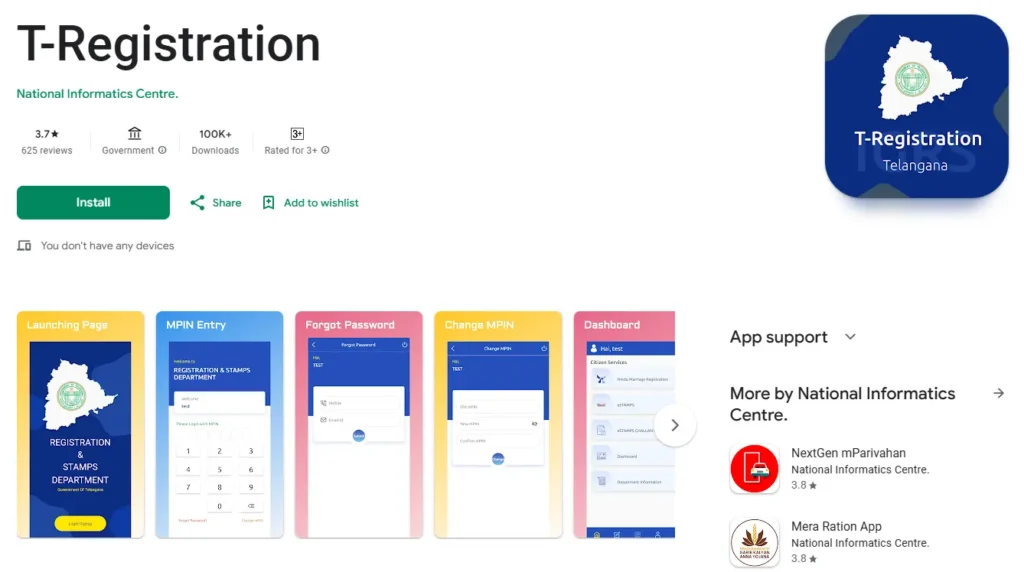
What is the T-Registration App?
The T-Registration app is the official mobile platform developed by the National Informatics Centre (NIC) for the Registration and Stamps Department of the Government of Telangana. Available on the Google Play Store, this app is designed to be your single source of truth for property and identity data.
The state actually digitized property records dating all the way back to 1983. This means you can seamlessly search for historical documents based on names, survey numbers, and deed details right from your phone.
Key Features of the T-Registration App
This app packs several high-stakes legal procedures into one user-friendly dashboard.
Hindu Marriage Registration & Video Capture
Getting married? The app features a dedicated module for Hindu Marriage Registration. It’s used by citizens to prep documents and by officials to capture mandated video and photographic evidence right during the ceremony.
Property Geo-Tagging & e-Challan Payments
The property module includes advanced geo-tagging tools to link registered documents to exact physical coordinates, helping resolve boundary disputes. You can also search for the latest market values (Circle Rates) and easily pay your stamp duty and registration fees via e-Stamps and e-Challans directly through the app.
“AI Nibhrit” Data Privacy Masking
Public access to property deeds is necessary, but what about your privacy? In 2024, the department introduced “AI Nibhrit,” a machine learning tool that automatically masks sensitive info like Aadhaar numbers, PAN details, and fingerprints on registered PDF documents. Between February and June 2024 alone, it successfully masked millions of document pages.
How to Register Documents Using the App
Using the app generally falls into three phases:
- Discovery: Use the built-in calculators to figure out your stamp duty and market values.
- Preparation: Use the Public Data Entry (PDE) system to securely upload your documents before ever stepping foot in an office.
- Verification: Check your transaction status or download an Encumbrance Certificate (EC).
Booking an SRO Slot
Once your documents are prepped, you have to visit a Sub-Registrar Office (SRO) to finalize things. The app links directly to an online slot booking system. Currently, 22 select SROs offer high-efficiency slots where you can get in and out in just 10 to 15 minutes. To fight corruption, the state’s AI-driven BuildNow system even randomly assigns you an SRO once your building approvals are cleared.
Section 32A Compliance and Identity Verification
To prevent property fraud, Telangana strictly enforces Section 32A of the Registration Act. When registering a deed, you must submit Form 32A, which requires a recent color photo and fingerprints captured in black ink. Today, the SROs heavily pair this physical requirement with digital Aadhaar E-KYC and biometric fingerprint scanners for airtight security.
Common User Issues & Troubleshooting
While the app is a massive step forward, it isn’t perfect. Based on user reviews from the Google Play Store, here are the most common technical hiccups:
- OTP Delays: Users occasionally report delays in receiving the One Time Password (OTP) required to log in or verify their identity.
- Tracking Applications: Some users have noted difficulty tracing their marriage registration application IDs after submission.
If you run into these issues, make sure you take screenshots of your application ID. You can also reach out directly to their support email at tsnic.mobile@gmail.com.